2021 Dell Laptops Deployment /Setting Up
*Your laptop is pre-configured with a generic "SOO" log in account. The password is 1a2b3c4d5e. Sign in using this password and then proceed to set up your own Windows account.
To set up your own Windows account, do the followings:
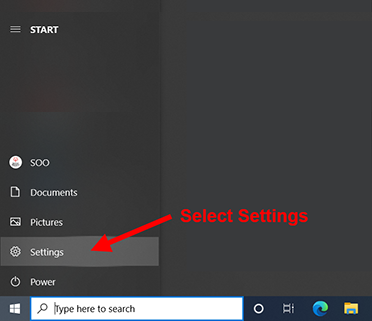
1. Click the Windows [Start] button (lower left) and select [Settings]:
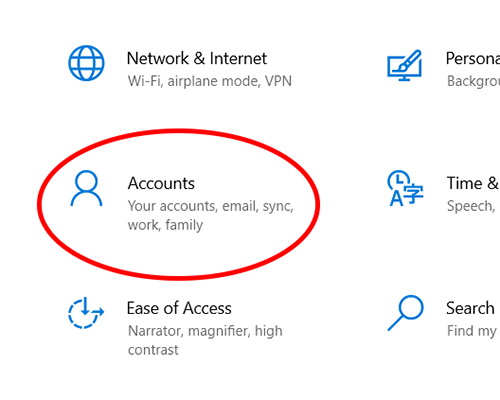
2. In the Settings window, select [Accounts]:
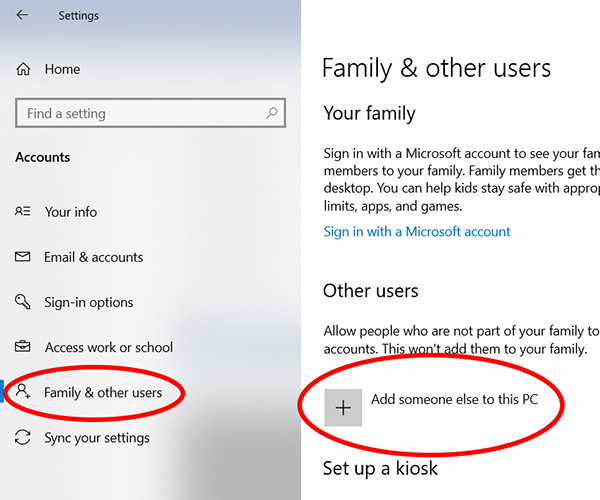
3. On the left hand side of the next window, select [Family & other users],
then on the right hand side, select [Add someone else to this PC]:
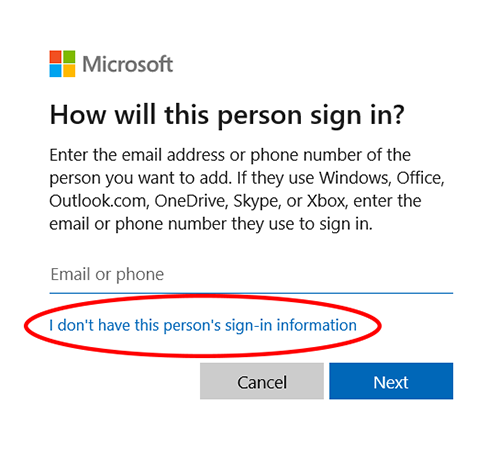
4. In the next pop up window, select [I don't have this person's sign-in information]:
5. In the next pop up window, select [Add a user without a Microsoft account]:
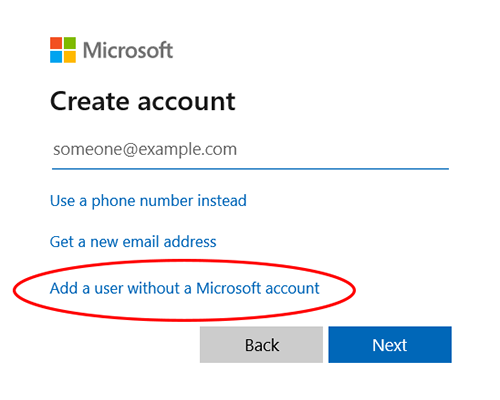
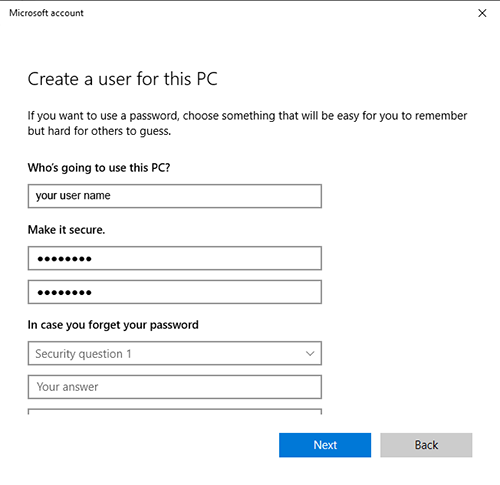
6. In the next pop up window, enter the [User name] you want to use and double confirm your password.
you will be asked to choose 3 security questions for recovery purpose. Mark down your answers and keep it in a safe place in case you need to recover your password. Then click [Next] to complete:
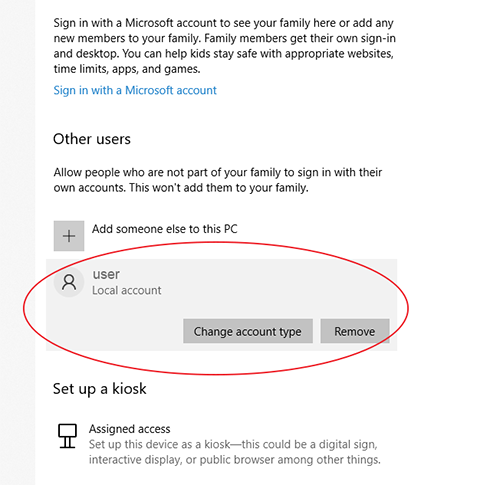
7. After the account is created. You'll be back to the account screen. Click on [Change account type] for the new account.
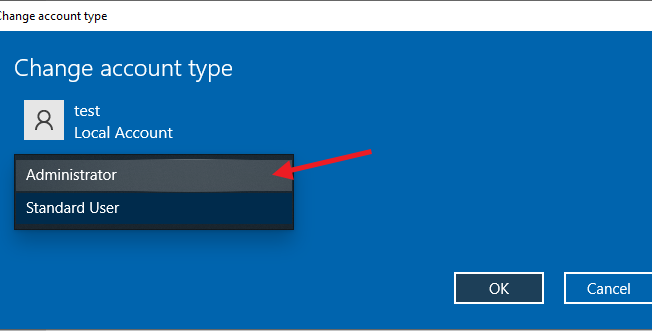
8. Change the account type from [Standard User] to [Administrator]. Then click [OK].
 DONE !!
After you have successfully created your own Windows account. Make sure you sign out of the SOO account and re-sign in using your own Windows account to do the rest of the setup.