
How to Add Program Icon to Windows Desktop
To create a shortcut icon for a program on the Windows desktop for faster access, follow the steps below.
1. Click the Windows [Start] button (lower left) and and you'll see all the installed programs in alphabetical order. Locate the program you want.
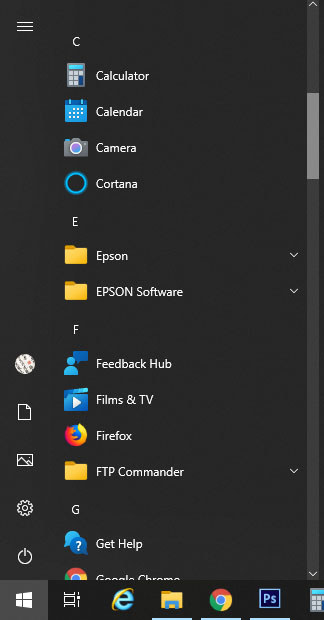
2. Right click on the program and choose [More] and then [Open file location]:

3. On the next window, right click on the program you want, and then select [Send to] then [Desktop (create shortcut)].

An icon for the program will be placed on the desktop.